Note
You are not reading the most recent version of this documentation. See the latest version available.
[MSI] Edit INI file
Edit INI file content and details (name, installation folder, component) of the
file from the IniFile table in the MSI package.
Warning
INI files with wrong internal INI structure could be saved to
the File table as binary file. A content of such INI files can’t
be edited directly from MSI.
Important
Precondition: Open an MSI package in MSI Editor (see Open MSI/MST).
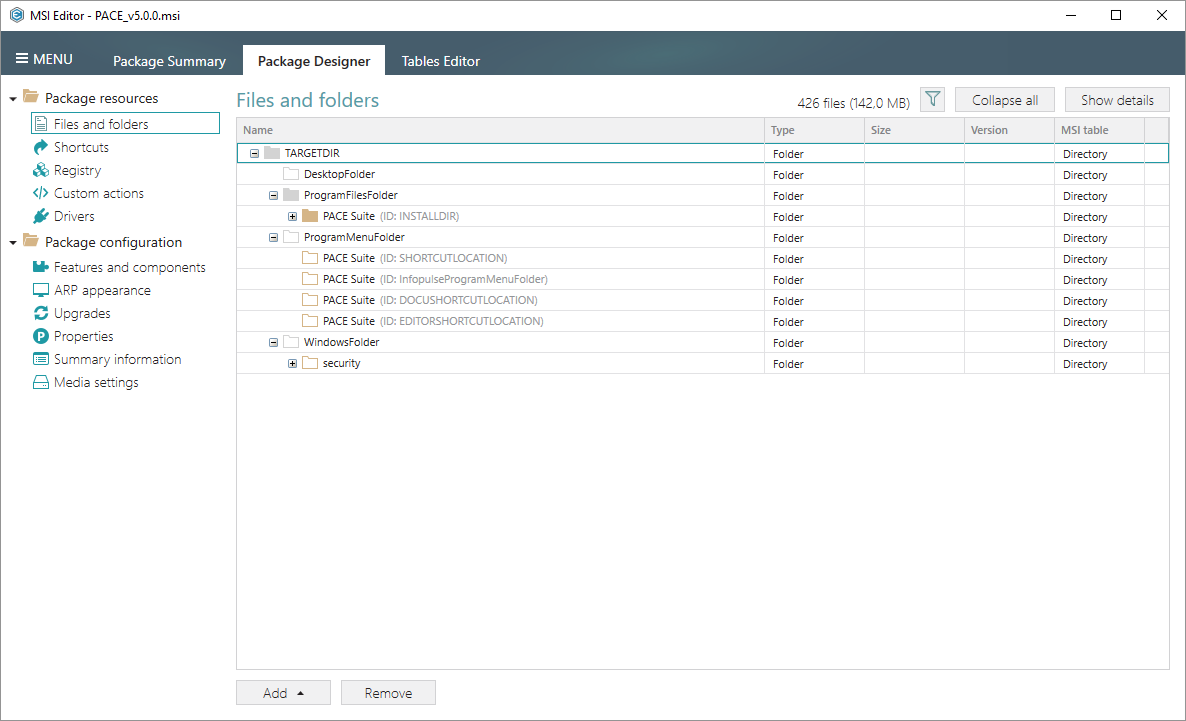
- Go to the Package Designer > Files and folders tab.
- Select Properties from the context menu of the required INI file.
Warning
Ensure that the selected INI file is read from the
IniFiletable (see the “MSI table” column).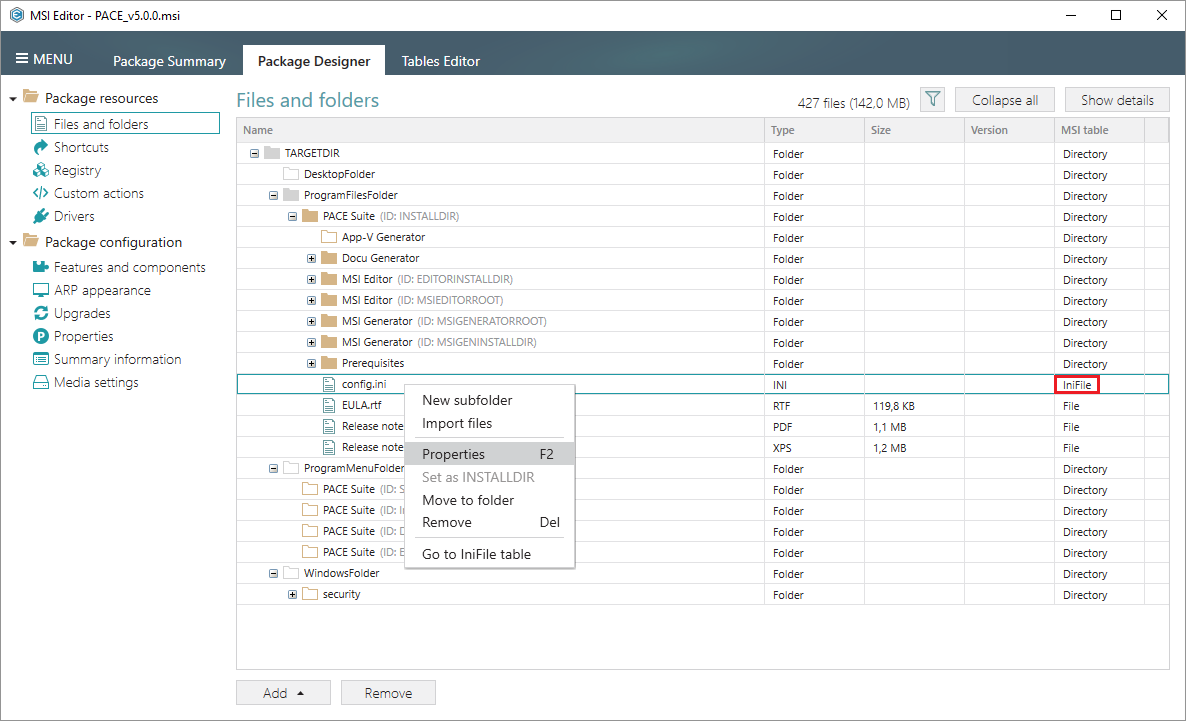
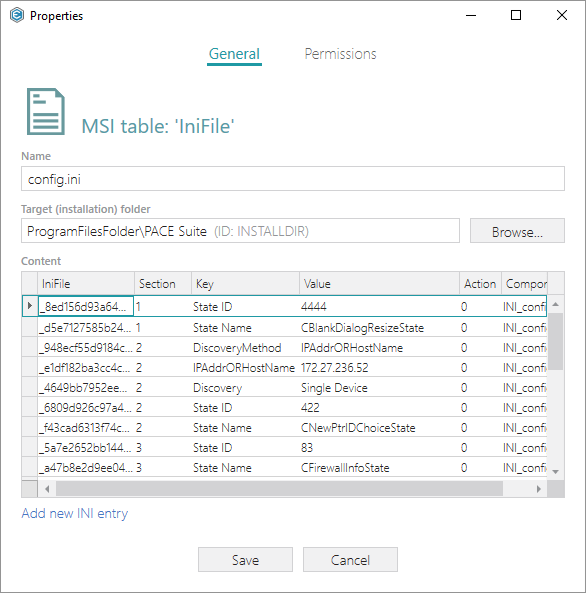
- Update the necessary values and then click Save.
Note
PACE Suite covers the whole range of application packaging tasks - learn more.
Try PACE Suite for free - 30 days no obligations unlimited trial with all functions unlocked.